


Rideshare driver deactivation is one of the biggest fears for Uber and Lyft drivers in 2026. A driver can lose access after a complaint, background check issue, document problem, safety report, fraud flag, or platform rule violation. Sometimes the reason feels clear. Other times, the notice feels vague and sudden.
For many drivers, deactivation is not a small app issue. It can stop income overnight. A full-time driver may depend on weekly rideshare earnings for rent, fuel, insurance, family bills, and car payments. Even a part-time driver can feel the pressure when one platform removes access without much warning.
This topic fits RideshareDrivers.club because your site already covers driver risk from several angles. Drivers can also read your guides on rideshare insurance gaps in 2026, rideshare driver tax deductions in 2026, late-night safety tips, and Lyft vs Uber for drivers in 2026. Deactivation connects with all of these topics because it affects income, safety, records, and platform strategy.
The hard truth is simple. Drivers should not wait until deactivation happens before they think about evidence. A smart driver prepares before a problem starts. That means keeping better records, using safer habits, saving key documents, and knowing how an Uber deactivation appeal or Lyft appeal may work.
Why Rideshare Driver Deactivation Is a Bigger Issue in 2026
Deactivation has become a major driver issue because rideshare platforms rely on automated systems, rider reports, background checks, and internal safety policies. These systems can remove risky drivers from the platform. That matters for passenger safety. But mistakes and unclear notices can also hurt good drivers.
A driver may face deactivation after a rider claims unsafe driving, discrimination, harassment, intoxication, fraud, route manipulation, or inappropriate behavior. A driver may also lose access after an expired document, rejected insurance update, failed background check, license issue, or duplicate account concern.
Some deactivations are temporary. Others are permanent. Some drivers can fix the problem by uploading a current document. Others must submit an appeal and wait for review. The difference matters because a document issue may take hours or days, while a safety-related deactivation can threaten long-term access.
In 2026, this issue is also part of a larger industry debate. Driver groups and lawmakers continue to question whether app-based workers have enough due process when platforms remove their access. That makes deactivation appeals a timely topic for drivers who want to protect their income.
Common Reasons Drivers Lose App Access

The most common deactivation reasons usually fall into a few groups. The first group is paperwork. This includes expired licenses, outdated insurance, rejected vehicle registration, missing inspection forms, or background check problems. These issues may feel frustrating, but drivers can often fix them with clean documentation.
The second group is safety. This can include accident reports, speeding complaints, unsafe stops, aggressive driving, impaired driving claims, or passenger conflict. Safety cases can be harder because the platform may act quickly to protect riders and reduce risk.
The third group is trust and account behavior. Platforms may flag suspicious trips, fake accounts, GPS manipulation, cancellation abuse, unusual payment activity, or repeated customer complaints. A driver may not always understand the exact trigger. That is why clear records matter.
Passenger complaints can create serious account problems
Passenger complaints can hurt drivers fast. A rider may report unsafe driving, rude behavior, discrimination, harassment, or a bad pickup experience. Some complaints are honest. Some may misunderstand what happened. A few may come from riders trying to get refunds or avoid responsibility for their own behavior.
Drivers cannot control every passenger. They can control their own habits. Keep communication polite. Avoid arguments. Confirm names before starting the trip. Use the app for trip changes. Do not make personal comments. End unsafe situations calmly when possible.
Background checks and documents can also trigger removal
Not every rideshare driver deactivation starts with a passenger. Some begin with background checks or paperwork. A new record, old record, license issue, insurance mismatch, or expired document can create access problems.
Drivers should review document expiration dates before the app warns them. They should also keep copies of licenses, insurance cards, inspection forms, vehicle registration, and platform messages. A clean file can save time when something goes wrong.
How an Uber Deactivation Appeal or Lyft Appeal Usually Starts
An appeal starts with the notice. Read it carefully. Do not respond in anger. Do not send a messy message. The first response should focus on facts, records, and what you can prove.
For an Uber deactivation appeal, Uber says drivers and delivery people can request review for many decisions that remove access for more than seven days, outside the most serious cases. Uber also says drivers may provide extra information, such as audio or video recordings, to support their case. Drivers should review the Uber deactivation review page for current platform guidance.
Lyft also provides a way to appeal permanent deactivation. Drivers should use Lyft’s current appeal process and submit additional information when available. The Lyft permanent deactivation appeal page is a useful place to start.
Evidence matters more than emotion
Drivers should build the appeal around proof. Useful evidence may include dashcam video, trip screenshots, text messages inside the app, GPS records, police reports, repair records, photos, witness names, receipts, or medical records if an accident happened.
A strong appeal should explain the timeline clearly. State what happened before the trip, during the trip, and after the issue. Keep the tone professional. Avoid insults. Avoid long emotional paragraphs. The reviewer needs facts, not frustration.
A clean timeline can make the appeal easier to review
A simple timeline can help the reviewer understand the case. Start with the date and approximate time. Add pickup and drop-off details. Explain the issue. Then list the evidence attached.
For example, a driver can write that the rider entered the wrong pickup location, became upset, refused to wear a seat belt, or made a false claim after the trip. Then the driver can attach dashcam footage or app screenshots that support the statement.
How Drivers Can Protect Themselves Before Deactivation Happens
The best deactivation strategy starts before the account is at risk. Drivers should treat rideshare work like a real business. That means records, safety habits, documentation, and backup income options.
A dashcam can help in many cases, especially for late-night trips or rider disputes. Local laws may affect audio recording rules, so drivers should understand their state requirements. Even when audio is not used, video can still help show passenger behavior, trip conditions, and driver actions.
Drivers should also save important app messages. If a passenger changes the destination, asks for an unsafe stop, brings too many riders, refuses a child seat requirement, or creates a conflict, keep records. These details may matter later.
Vehicle condition also matters. A clean car, working seat belts, updated documents, and safe driving habits reduce complaint risk. Drivers should not give riders easy reasons to report them.
A Practical Deactivation-Protection Checklist
Use a dashcam if it is legal in your area. Keep your phone mounted. Avoid texting while driving. Confirm pickup details before moving. Stay calm during conflict. Report serious rider problems through the app right away.
Keep all documents current. Review insurance, registration, inspection, and license dates monthly. Save platform notices in one folder. Take screenshots of important trip issues. Track expenses and app access problems like you track taxes.
This also connects with your tax and insurance content. A driver who keeps records for tax deductions should also keep records for safety, disputes, and app access. Good documentation protects more than one part of the business.
Multi-apping can reduce income shock
Drivers should not depend on one app if they can avoid it. A single deactivation can create major stress when all income comes from one platform. Using more than one approved app can reduce that risk.
Multi-apping does not mean accepting overlapping trips or breaking platform rules. It means having backup options. A driver may use Uber, Lyft, delivery apps, local courier work, or other flexible income sources. The goal is to avoid one account decision destroying the entire week.
Professional habits lower complaint risk
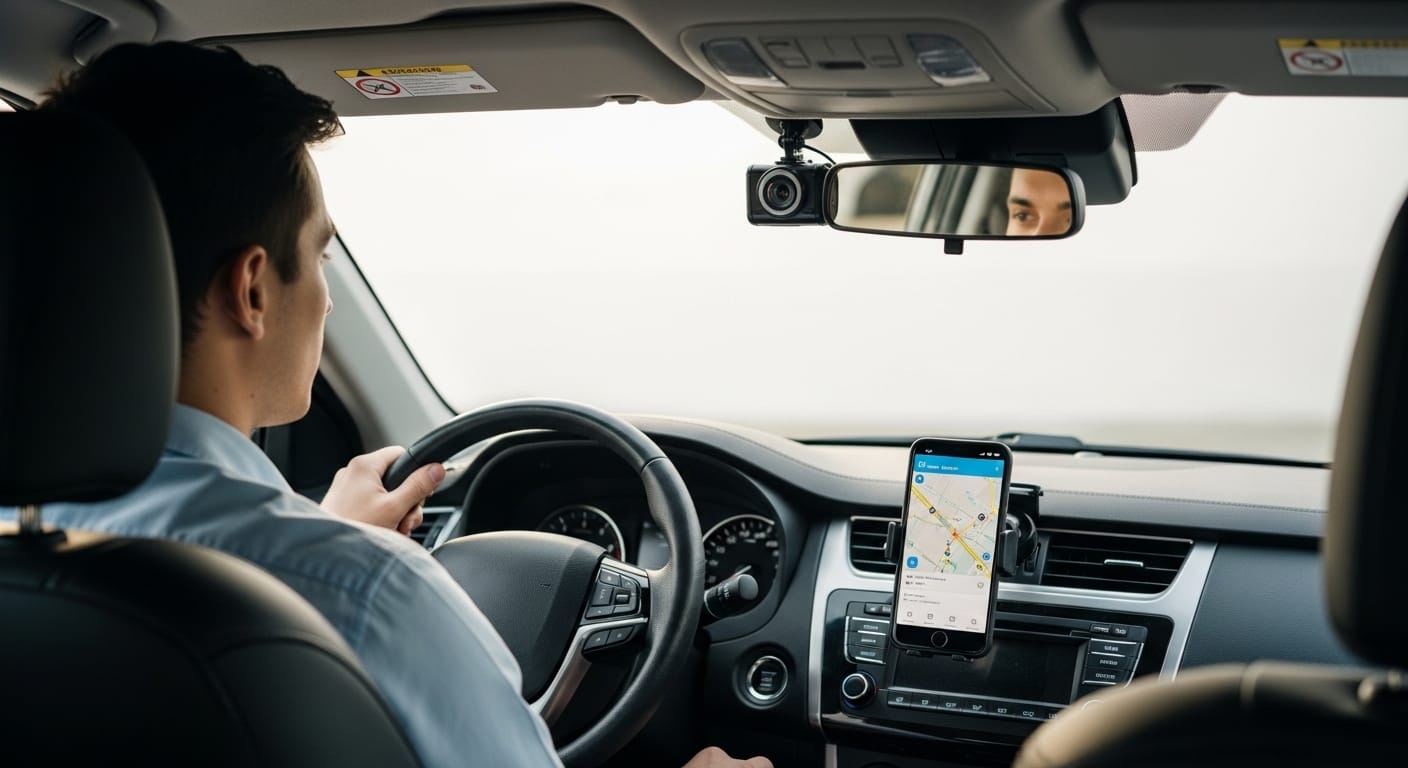
Professional habits do not guarantee protection, but they help. Greet riders politely. Drive smoothly. Avoid political or personal arguments. Keep the car clean. Follow traffic laws. Do not argue about ratings, tips, or routes.
When a rider becomes difficult, stay calm and document the issue. If safety becomes a concern, end the trip in a safe location and report the incident through the app. A calm report made early can help if the rider complains first.
The bottom line is clear. Rideshare driver deactivation can happen quickly, and it can hurt income fast. Drivers should know the appeal process, but they should also prepare before they ever need one.
An Uber deactivation appeal or Lyft appeal works better when the driver has clear evidence, a calm timeline, and current documents. Drivers who save records, use safe habits, and keep backup income options place themselves in a stronger position.
Rideshare work gives drivers flexibility, but that flexibility comes with platform risk. Treat the account like a business asset. Protect it with documentation, safer driving, professional conduct, and a plan for what happens if access changes overnight.